
Name-Based Case Searches
A name search only locates possible matches. It settles nothing about a person. Begin at the official Anderson County Odyssey portal, then pick the category that fits the case: Criminal Case Records; Civil, Family & Probate Case Records; Judgments Search; Court Calendar; Jail Records; or Jail Bond Records. The jail categories are not the court docket, so treat them as a side door rather than the main one.
- Choose the correct case category and read the current instructions on the screen.
- Enter the narrowest name form the live portal accepts. Add the court or date when those controls appear.
- Compare the case number, court, filed date, and case type across possible matches.
- Open only the matching case and read the docket status in context.
- Save the access date and confirm a key result with the responsible clerk.
The portal changes shape from time to time. Its screens redirect, and fields shift with updates, so trust the labels in front of you rather than any remembered layout. Older references mention searches by party, defendant, attorney, citation, cross-reference, and filed date, and those remain useful clues. Just weigh them as hints, not a fixed specification.
| Search anchor | Type | Required | Use |
|---|---|---|---|
| Party or defendant | Text, if displayed | Verify live | Begin a narrow name search |
| Court | Filter, if displayed | Verify live | Separate district, county, JP, and city cases |
| Case category | Landing choice | Yes | Select criminal or civil-family-probate records |
| Filed date | Date filter, if displayed | Verify live | Reduce same-name collisions |
Anderson County Odyssey Docket Search
Odyssey is the county's main public route into case records. It splits court cases, calendar information, and jail information into plain categories. You can see those categories up front. A notice on the landing page says the data runs through the end of the previous business day. That tells you how fresh the docket is. It cannot promise that a same-day filing, a reset, or a correction is already showing. The official Odyssey portal itself displays the categories and that freshness notice. Read them straight from the source page before you search.
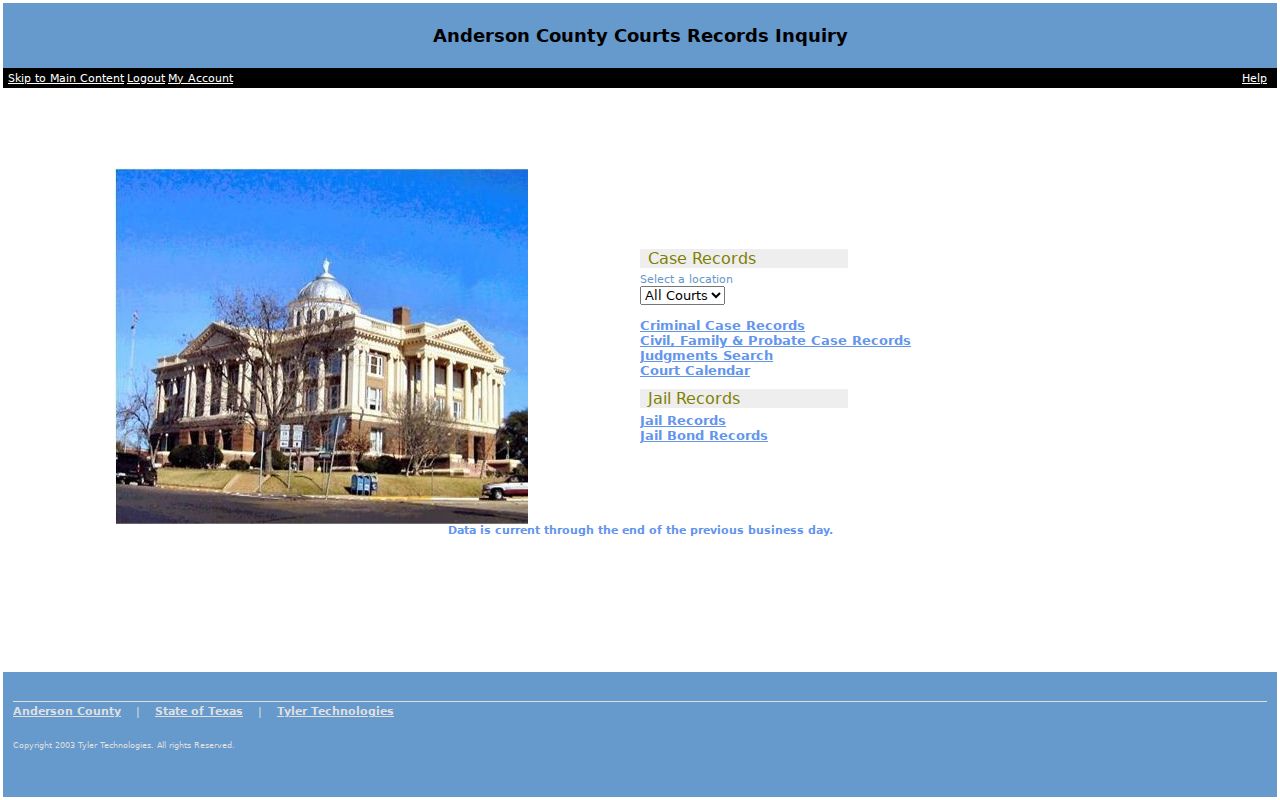
What you can count on is the category route and the update notice. Field details inside may differ. If a result never appears, switch categories only when the court and case type truly support it. A felony sits in the district stream. Probate and County Court at Law records stay at the county level. JP and municipal cases often live with the specific court instead of this county portal.
Case Number Searches
One full case number beats every other key. It points to a single file in a single court. That is why an Anderson County docket search works best with it. Type the number exactly as printed on a notice, pleading, receipt, citation, or older docket record. Keep the punctuation and leading zeros unless the live search says otherwise. There is no single county-wide numbering pattern, so never guess at a format. Enter the identifier as it appears: FULL CASE OR CAUSE NUMBER. Anderson County's courts number cases their own way. The four district courts, County Court at Law, constitutional county court, four JP courts, and three municipal courts can each differ. So confirm the court name along with the number. Palestine's municipal sample, for instance, lists both a citation number and a docket number. Neither swaps in for a district cause number. No match? Try the same number through that court's own channel. Check for transposed digits or a record filed at another level. The District Clerk handles felony and district civil-family matters. The County Clerk supports county and probate files. A JP or city clerk controls its own case number.
Anderson County Docket Custody Map
No single clerk holds every Anderson County record. Routing your request to the right office prevents most failed case searches. The Anderson County District Clerk keeps the district courts' felony, civil, family, and juvenile filings. That office also handles those proceedings. The Anderson County Clerk handles County Court, County Court at Law, probate, and county civil work. Justice and municipal courts keep their own dockets close to home.
| Case level | Search or confirmation route |
|---|---|
| District felony, civil, family, juvenile | Odyssey and Anderson County District Clerk |
| County Court at Law, probate, county matter | Odyssey, County Clerk calendar, and Anderson County Clerk |
| Justice Court citation, eviction, small or debt claim | The named JP precinct office |
| Palestine, Elkhart, or Frankston Class C matter | The issuing municipal court |
| Federal Eastern District matter | PACER or the Eastern District of Texas, Tyler Division |
The District Clerk sits at 500 N. Church Street, Room 18, Palestine. That office answers at 903-723-7412. The County Clerk works out of Room 10 at 903-723-7402. Depending on the clerk's published process, you may get help at a counter, by direct phone, written request, mail, fax, email, or drop-off. Ask about a courthouse terminal before you drive over.
Case Search Results Explained
A result row only locates a possible case. Open the detail view and it can show recorded events, settings, and filing information. Screen layouts vary. So treat the fields below as the facts worth confirming in any result rather than a promise of their order. What matters is reading each entry for what it does and does not say.
| Case Number | The court-assigned identifier, which should match the source document exactly. |
|---|---|
| Court | The district, county, justice, or municipal court that controls the case. |
| Style or Parties | The case caption. Similar names require a number, court, and date check. |
| Case Type | The broad category, such as criminal, civil, family, probate, or citation. |
| Filed Date | The date the action entered the clerk’s record. |
| Status | An administrative label such as active, closed, or disposed, read with later entries. |
| Setting | A scheduled hearing or court event, subject to reset or cancellation. |
| Document Link | An available filing image, which may be restricted or carry a document charge. |
An offense description is not a judgment. A filed motion is a request, not an order granting it, and a calendar setting is not the outcome of the hearing. For hearing dates, check the Anderson County court schedule and confirm with the responsible office.
Anderson County re:SearchTX Docket Layer
re:SearchTX adds a statewide electronic layer to any Anderson County docket search. It requires sign-in or registration. You can use eFileTexas credentials if you have them. Once inside, the workflow offers Cases, Filings, Text, and Hearings categories. Filters, advanced search, detail views, result export, and saved searches are also part of the mix. Participation and document depth vary from county to county. That makes this state portal a supplement rather than a replacement for the local Anderson County clerk.
The official sign-in and registration gate at re:SearchTX shows what visitors encounter. No docket search begins before that step.
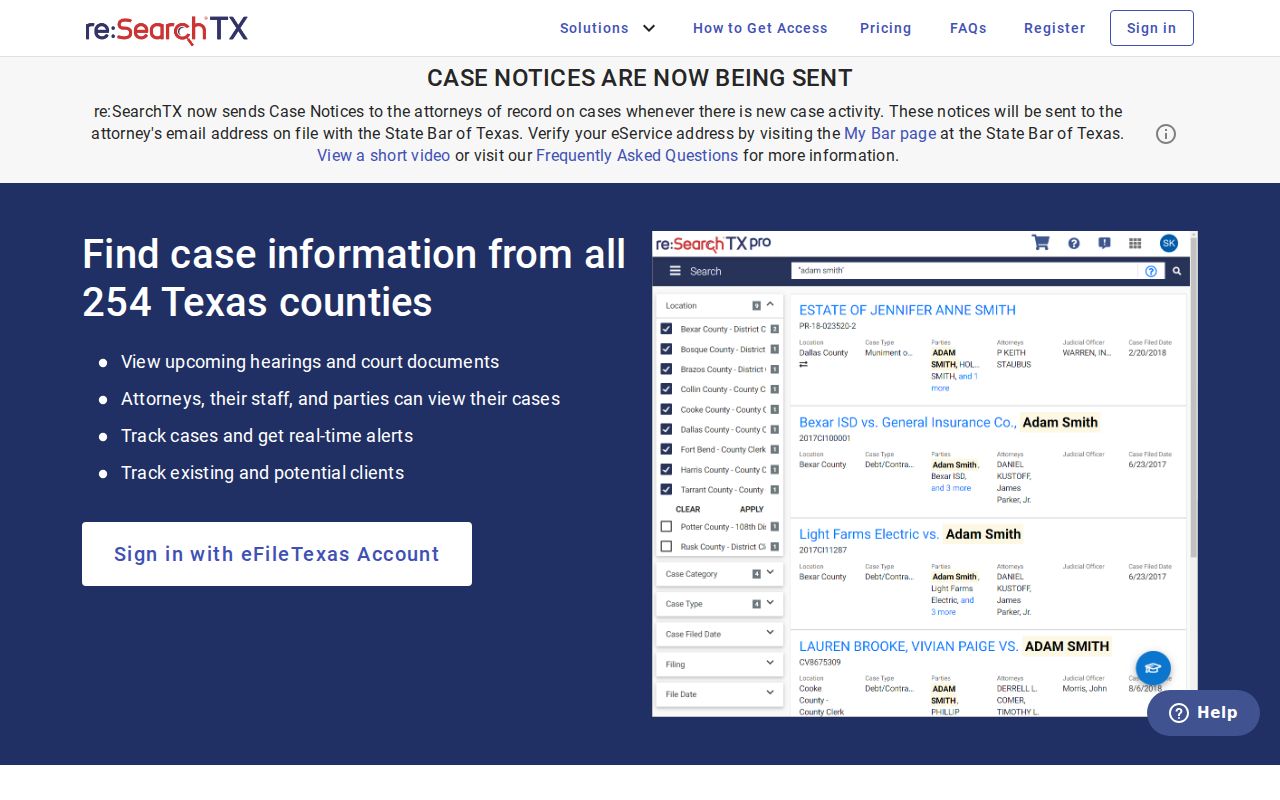
A registered search earns its keep when the right court is unclear or a filing may cross county lines. Identifying a case and pulling its documents are separate steps. Expect public-document charges of $0.10 per page and a $1 minimum per document, though what you can actually open depends on the record and your account. Check current charges before you order anything. One more distinction: eFileTexas handles filing, not public case search.
Two Ways to Search: County and State
The county and state systems serve different jobs. Odyssey is the right first stop when you know the case sits in Anderson County. Turn to re:SearchTX when you need wider participating-county coverage, a hearing search, or electronic filing detail. Whichever system you use, check one thing. The returned court and case number must match the facts you started with.
| re:SearchTX | Anderson County Odyssey |
|---|---|
| Statewide electronic layer for participating records | County landing route for local case and calendar categories |
| Requires sign-in or registration | No login or payment appeared on the observed landing route |
| Cases, Filings, Text, and Hearings searches | Criminal, civil-family-probate, judgments, calendar, and jail categories |
| Document depth and price may vary | Case-detail fields could not be verified during research |
| Best for a broader electronic check | Best first stop for a known Anderson County case |
Neither system doubles as the official-records property index. For that, Anderson County runs a separate Official Records Search. It works from grantor or grantee, subdivision, document type or number. Recorded-date ranges and OCR scope also narrow the search. It returns recorded property instruments, not civil pleadings or a court docket. The county-linked iDocket service is vendor-hosted too. It requires subscriber credentials. It also tells users to confirm current data with the clerk.
When Anderson County Docket Search Fails
A dead-end docket search is a routing problem, not proof the case is gone. First confirm the court level. Also check whether the number in hand is a cause, docket, citation, or cross-reference number. Try the responsible court's own route. Then call the clerk with the case number, court, party or citation identifier, filing-date range, and record type.
For District Court records, the District Clerk serves walk-ins and phone callers. It also provides copy-request forms. The County Clerk posts an online public-information form. It asks for full name, subject, email confirmation, message, and a CAPTCHA. That form opens a request channel. It is not a search database. Mail, fax, email, or drop-off must follow whichever office's published instructions apply. Ask ahead about a public terminal.
Search recovery: Save the spelling tried, selected category, access date, and any error message before calling the clerk.
Palestine offers an official criminal-docket page and takes court questions through its municipal route. Elkhart and Frankston expose no dedicated public docket portals. For those cities, City Hall is the starting point for municipal records.
Which Cases Stay Restricted
Public access has limits. Juvenile records, sealed files, expunction material, nondisclosed criminal history, and protected family information may be hidden or partly redacted. An empty result or a blank document tab can mean a restriction, an indexing delay, a local participation limit, or a search mismatch. It is not proof that no proceeding occurred.
Texas Rule of Judicial Administration 12 governs access to judicial records. The Texas Public Information Act generally covers non-case administrative records. It does not reach a court's adjudicative records. Sealing in civil cases falls under Texas Rule of Civil Procedure 76a. The District Clerk publishes a Request of Access to Sealed Records form. A requester must identify the legal authority or role behind the access claim. A general public-information request will not get around a seal.
Redaction can shield confidential details while the rest of the record stays public. The custodian sets the lawful access route. Never copy or republish protected identifiers from a docket. Use court data to track a case, verify a setting, understand filings, or follow a matter of public interest. Then confirm critical facts against the original file.
Verify Anderson County Docket Search Results
A sound Anderson County docket search ends with confirmation. Write down the court name, full case number, filing date, status label, and access date. If a document matters, request the filed image or a certified copy from the custodian. Screen results can lag. An index line may miss the terms of a signed order.
Copying can cost money even when the search landing page is free. The District Clerk schedule lists $1 per paper page and $1 per document sent by email. It adds $5 for a search when no docket number is provided. A certificate or seal costs $5. Confirm the current schedule before ordering. The County Clerk's e-certify route asks for the state and county, delivery name, email, phone, and acceptance of terms. It names no final transaction fee on its public screen.
| Need | Best product |
|---|---|
| Locate a local case | Odyssey category and clerk confirmation |
| Check several participating counties | re:SearchTX account search |
| Confirm a hearing | Calendar plus direct court confirmation |
| Prove what was filed | Filed document from the custodian |
| Obtain formal proof | Certified copy from the responsible clerk |
The original Anderson County clerk or court record always controls over a vendor display. Clerk staff can explain access, forms, and fees. They cannot give legal advice about what a case result means.